Garden of Witches Weapons: All Scissors Compared
Compare all five Garden of Witches weapons by range, attack rhythm, combat role, unlock boundary, and 1.0 Armory pairing.
Direct answer
Garden of Witches 1.0 has five Weapons: Scissors, Giant Scissors, Magic Scissors, Broken Scissors, and Singing Scissors. Choose by attack range and cadence first, then support that choice with compatible Spells and Imprints.
Quick answer
- Scissors are the balanced starting melee Weapon.
- Giant and Broken Scissors trade in opposite directions: heavier area hits versus faster pressure.
- Magic and Singing Scissors provide two different ranged patterns.
- Additional Weapons become selectable in the Armory after their unlock conditions are met.
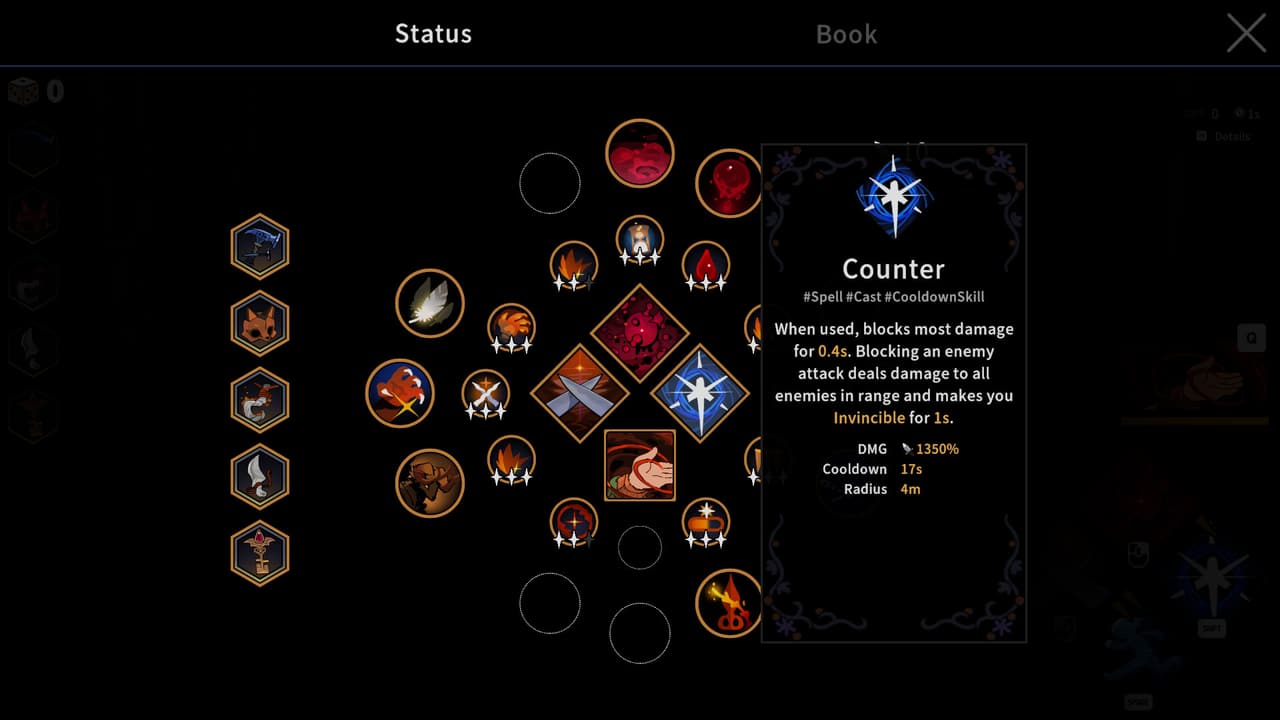
All Garden of Witches Weapons at a Glance
The Armory's current Weapon family has five members. The practical split is melee versus ranged, followed by the attack rhythm you can safely maintain.
| Weapon | Range | Core attack pattern | Best starting reason |
|---|---|---|---|
| Scissors | Close | Balanced repeated swings | Learn the current combat loop from a neutral baseline. |
| Giant Scissors | Close | Slower area hits | Control nearby groups with wider, deliberate attacks. |
| Magic Scissors | Ranged | Projectile aimed at the strongest enemy with area damage | Keep Weapon pressure on a priority target from range. |
| Broken Scissors | Close | Fast repeated attacks | Maintain rapid melee pressure when you can stay near the target. |
| Singing Scissors | Ranged | Loaded projectiles fired one at a time | Apply sustained ranged pressure through a sequence. |
If this is your first run, the beginner route and room-choice plan explains when to commit to a reward and when to preserve health. Weapon selection becomes more useful once those first-run decisions feel predictable.
Choose a Weapon by Combat Goal
Learn the baseline
Start with Scissors to learn melee spacing and the normal Weapon rhythm before adding a specialized pattern.
Best for: new players
Hit a nearby group
Use Giant Scissors when a slower, wider area hit matches your positioning plan.
Best for: heavy area melee
Target from range
Use Magic Scissors when the strongest enemy should remain the center of ranged Weapon pressure.
Best for: ranged area targeting
Attack as fast as possible
Use Broken Scissors when three attacks per second and close-range uptime support the rest of the build.
Best for: fast melee pressure
Sustain ranged fire
Use Singing Scissors when loaded, sequential projectiles fit the intended combat rhythm.
Best for: sustained ranged damage
Choose the attack pattern you can keep using under pressure, then make upgrades serve that pattern. A Weapon with the wrong range for your movement habits remains awkward even when an isolated reward looks strong. For the complete upgrade framework, use the current 1.0 build-planning method.
Every Weapon Profile
The profiles below preserve the complete five-Weapon inventory in one page. They use text-only identity blocks because the official media set does not provide a stable, reusable one-image-per-Weapon collection for all five entries.
Scissors
MeleeThe balanced starting Weapon. Its straightforward close-range cadence makes it the clearest baseline for learning how Weapon hits, critical cycles, Spells, and movement fit together.
- Combat role
- Balanced melee baseline
- Listed speed
- 2 attacks per second
- Availability
- Available at the start
- Choose it when you want a neutral starting point before committing to a more specialized attack pattern.
Giant Scissors
MeleeA slower Weapon that inflicts area damage around its swing. It favors deliberate positioning and fewer, heavier commitments.
- Combat role
- Heavy area melee
- Attack pattern
- Wide area hit
- Availability
- Progression or condition unlock
- Choose it when controlling a nearby group matters more than maintaining the fastest attack cadence.
Magic Scissors
RangedA ranged Weapon that shoots at the strongest enemy and damages targets around the impact. It shifts the basic Weapon slot toward target-focused ranged pressure.
- Combat role
- Ranged area targeting
- Primary target
- Strongest enemy
- Availability
- Progression or condition unlock
- Choose it when staying off a target is more valuable than a close-range swing pattern.
Broken Scissors
MeleeThe fastest listed close-range Weapon. Its three-attacks-per-second cadence supports constant pressure, while requiring enough safety to remain near enemies.
- Combat role
- Fast melee pressure
- Listed speed
- 3 attacks per second
- Availability
- Progression or condition unlock
- Choose it when rapid repeated hits fit the planned build and close-range uptime feels sustainable.
Singing Scissors
RangedA sustained ranged Weapon that loads projectiles and releases them one at a time at the strongest enemy.
- Combat role
- Sustained ranged fire
- Attack pattern
- Loaded sequential projectiles
- Availability
- Progression or condition unlock
- Choose it when you prefer a continuing ranged sequence over Magic Scissors' direct projectile impact.
Unlock and Pair Weapons in the Armory
A new save begins with default Scissors and a limited Spell pool. Additional Weapons and Spells unlock as chapters advance and other conditions are met. Once a Weapon is unlocked, select it with the intended Spells and Special Skills in the Armory before entering the next run.
Use this pairing order:
- Choose the Weapon whose range and attack rhythm you can maintain during a boss pattern.
- Select Spells that cover the Weapon's weak moments or reinforce the same damage plan.
- During the run, raise the attributes that lead toward an Imprint supporting that plan.
- At Level 3, choose the Imprint by behavior and build fit, not by its isolated number.
- Check whether the next room's reward strengthens the same plan before accepting it.
The progress check is simple: the intended Weapon appears as selectable in the Armory, the equipped Spells support its range or cadence, and the first Imprint decision improves that same play pattern. The chapter progression walkthrough shows where story progress expands those options.
Garden of Witches 1.0 Armory and Build Run
Watch a current-version run move from Armory selection into ability upgrades and Imprint decisions around the equipped loadout.
When a Weapon Choice Feels Wrong
| Symptom | Likely mismatch | Smallest next check |
|---|---|---|
| You keep losing damage while backing away. | A close-range Weapon does not match the distance you are keeping. | Test Magic or Singing Scissors after it unlocks, or change movement before changing the entire build. |
| Slow attacks keep missing moving targets. | Giant Scissors demands more deliberate positioning than the current approach provides. | Return to Scissors for a neutral cadence, then retry Giant after the boss cues feel familiar. |
| Rapid melee feels unsafe. | Broken Scissors needs close-range uptime that the current defensive plan cannot sustain. | Keep its speed only when Spells and movement create safe contact time. |
| Ranged damage feels scattered. | Weapon, Spells, and Imprints are serving separate mechanics. | Keep one primary damage plan and reject the next reward that pulls away from it. |
| A listed Weapon does not appear. | Its progression or condition unlock has not been met. | Continue the story and recheck the Armory after the next chapter checkpoint. |
Do not treat an unavailable Weapon as a broken menu state until another chapter checkpoint has been cleared. The current unlock system intentionally starts with one default Weapon and expands the Armory over time.
What the Current Weapon Data Can Confirm
The five names, their core attack patterns, and the progressive Armory unlock boundary are confirmed for 1.0. Exact unlock conditions for every additional Weapon are not published as one complete official checklist, so this page does not invent chapter numbers or hidden requirements.
The role labels above are practical recommendations derived from the confirmed attack patterns. They help choose a starting point; they do not claim one universal best Weapon. Challenge conditions can change which range and cadence remain comfortable, so prepare the story-complete loadout with the Challenge Mode unlock and entry steps.